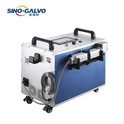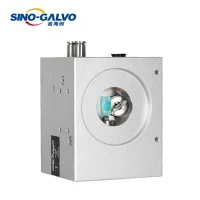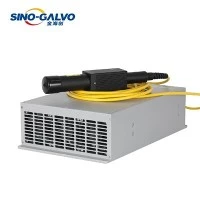


Laser cleaning machines have become essential industrial equipment for non-destructive rust removal, paint stripping, oxide elimination, and weld cleaning. Widely applied in ship repair, power tower and substation maintenance, rail transit overhaul, construction machinery upkeep, large steel structure factories, outdoor pipeline cleaning, mold maintenance, cultural relic restoration, and auto body refurbishment, portable air-cooled and water-cooled laser cleaners deliver high efficiency and eco-friendly performance. However, like all precision optical devices, they frequently suffer from operational issues due to harsh job site conditions, improper handling, and neglected routine maintenance. Typical problems include no laser output, weak cleaning power, uneven cleaning results, random overheating alarms, and intermittent laser stuttering.
Unexpected laser cleaner faults lead to costly project downtime, delayed workflows, and even permanent laser device damage. To help field operators and maintenance personnel quickly diagnose laser cleaning machine common faults, locate root causes, and apply correct fixes, we've compiled a complete, field-tested troubleshooting guide for all portable laser cleaning models. This practical manual covers daily failures, detailed reasons, step-by-step solutions, and professional maintenance tips to keep your laser cleaning equipment running stably.

No Laser Output or Weak Cleaning Power / Power Attenuation
This is the most common failure of laser cleaning equipment. The machine boots up normally but produces no laser beam, or the laser output is normal but the cleaning effect (rust removal, paint stripping, oxide removal) is significantly weakened with low working efficiency.
Main Causes
Safety interlock activation
Emergency stop button not reset or safety lock not closed, triggering the machine's self-locking protection and disabling laser output.
01
Incorrect parameter settings
Low laser power, frequency, or scanning speed; mistakenly modified parameters leading to insufficient laser energy.
02
Optical component contamination
Dust, oil stains, or water fog on protective lenses and focusing lenses; slight lens ablation blocking laser transmission.
03
Poor heat dissipation
Excessive water temperature for water-cooled models; abnormal heat dissipation for air-cooled models, triggering laser power reduction protection.
04
Control accessory failure
Poor contact of the manual start switch or foot switch; loose circuit connections.
05
Troubleshooting Solutions
Check and reset all emergency stop buttons and safety locks to release the equipment self-protection state.
01
Restore factory default cleaning parameters on the control system, and fine-tune power, frequency, and scanning speed according to actual working conditions.
02
Clean optical lenses with professional dust-free paper and absolute ethanol. Replace severely ablated lenses directly. Never touch the optical surface with hands.
03
Maintain the water temperature of water-cooled machines at 20–25°C; remove blockages from air-cooled machine heat dissipation vents to ensure smooth heat dissipation.
04
Replug and fasten the lines of start switches and foot switches; replace faulty accessories if problems persist.
05
Uneven Cleaning Effect & Abnormal Laser Spot
Under the same working parameters, the workpiece surface shows inconsistent cleaning results-some areas are thoroughly cleaned while rust, paint, or oxide residues remain on others. The laser spot diverges with uneven brightness and blurred edges.
Main Causes
Dirty, foggy, or scratched optical lenses causing uneven laser refraction and scattering.
01
Slight optical path deviation and inaccurate focusing caused by long-term equipment vibration and collision.
02
Stuck scanning galvanometer or abnormal scanning head operation leading to irregular scanning tracks.
03
Uneven surface humidity and heavy oil stains on workpieces affecting cleaning uniformity.
04
Troubleshooting Solutions
Thoroughly clean all optical lenses of the laser gun to remove dust, oil, and water fog, and ensure flat installation.
01
Refocus strictly in accordance with standard operating procedures to fix the working focal length.
02
Non-professionals are prohibited from disassembling and adjusting the optical path and galvanometer to avoid permanent optical path deviation.
03
Pre-treat workpieces before operation to remove heavy oil, water, and floating dust, keeping the surface dry and clean.
04
Contact professional technicians for optical path calibration and scanning head inspection if faults remain after cleaning and refocusing.
05
Equipment Alarm & Overheating Protection Shutdown
Laser generators are extremely sensitive to temperature. Overheating is the main cause of automatic shutdown and equipment alarm, manifested as pop-up system alarms, red indicator lights, and automatic locking shutdown.
Main Causes
Water-cooled machines: Insufficient cooling water, turbid water quality, blocked water filter elements, and unsmooth water circulation.
01
Air-cooled machines: Accumulated dust and metal debris on cooling fans and radiators reducing heat dissipation efficiency.
02
Blocked air vents and unreasonable equipment placement leading to poor ventilation.
03
Long-term full-load continuous operation exceeding the equipment's rated working conditions.
04
Troubleshooting Solutions
Supplement special deionized water for insufficient water levels; replace cooling water and clean filter elements for turbid water quality to ensure smooth water circulation.
Regularly blow and clean dust and debris on cooling fans, radiators, and dust screens.
Reserve more than 20cm of ventilation space around the equipment, keep away from high-temperature heat sources and closed humid environments.
Avoid long-term uninterrupted full-load operation, and arrange regular shutdown heat dissipation to reduce equipment load.
Boot Failure, Black Screen & Communication Connection Failure
The equipment fails to start, the control screen is black, the handheld controller fails to communicate with the host, parameters cannot be saved, and the cleaning program cannot run.
Main Causes
Abnormal power supply: Loose power cords, poor socket contact, unstable voltage, and invalid grounding.
01
Unreset emergency stop and safety protection devices causing equipment self-locking standby.
02
Loose, falling off or aging main control data lines and communication lines.
03
System cache accumulation caused by long-term non-restart leading to program operation exceptions.
04
Troubleshooting Solutions
The company conducted a competitive advantage analysis to identify its strengths and weaknesses compared to its rivals.
Check and fasten power cords and grounding lines, replace faulty sockets, and ensure stable power supply.
01
Reset all emergency stop buttons and confirm the release of all safety protection devices.
02
Replug and fasten the communication data lines between the host and handheld/scan head, and check for line damage.
03
Power off the equipment and let it stand for 3–5 minutes before restarting to clear system cache.
04
Contact after-sales technicians for maintenance if startup and communication failures persist; do not disassemble the machine privately.
05
Intermittent Laser Output & Output Stuttering
This is a common hidden fault with no obvious system alarm. The laser output suddenly cuts off or works intermittently during continuous cleaning operation, resulting in unstable working quality.
Main Causes
Virtual connection and poor contact of handheld switches and foot switches.
01
Slightly contaminated or damp lenses causing unstable laser transmission.
02
Fluctuating power supply voltage leading to unstable laser operation.
03
Intermittent heat dissipation failure triggering instantaneous power protection.
04
Troubleshooting Solutions
Replace spare start switches and foot switches to eliminate accessory faults.
Secondarily clean all optical lenses and strengthen lens moisture-proof protection.
Equip a regulated power supply to avoid voltage fluctuation interference.
Comprehensively clean the heat dissipation system to ensure stable and continuous heat dissipation.
Daily Operation Standard & Long-Term Maintenance Guide
More than 80% of laser cleaning machine failures are caused by non-standard operation and lack of maintenance. Standard daily inspection and regular maintenance can effectively reduce failure rates and extend the service life of laser cleaning equipment.
Pre-operation Daily Inspection: Check lens cleanliness, cooling water level, heat dissipation vents, line connections, and emergency stop status before each startup; start operation only after confirming no abnormalities.
Strict Working Environment Control: Avoid long-term operation in high-dust, high-humidity, strong-vibration, and closed high-temperature environments; clean equipment surface dust and stains after work.
Regular Deep Maintenance: Replace deionized cooling water and clean water filter elements every 1–2 months for water-cooled machines; clean heat dissipation dust screens every week for air-cooled machines; inspect and clean optical lenses monthly.
Standard Operation Habits: Do not modify core equipment parameters privately; non-professionals are forbidden to disassemble and debug the equipment; avoid long-term idle laser output and close-range focusing burning.
Professional Fault Handling Principle: Stop operation and power off immediately for unknown faults. Do not force startup or private disassembly to avoid irreversible damage to the laser and optical system. Seek professional after-sales technical support in time.
Final Thoughts
Portable laser cleaning machines offer unrivaled advantages over traditional cleaning methods such as sandblasting, acid washing, and manual grinding, featuring zero substrate damage, environmental protection, and strong scene adaptability. Nevertheless, most laser cleaner failures stem from three core issues: optical lens contamination, abnormal heat dissipation, and non-standard daily operation. By following standardized operating specifications, conducting regular routine inspections, and troubleshooting minor faults in a timely manner, users can effectively reduce equipment failure rates, cut long-term maintenance costs, and extend the service life of laser rust removal and cleaning machines.