

Acrylic laser cutting is a widely used processing method for producing high-quality cuts and detailed engravings on acrylic sheets. With the right laser system and processing parameters, acrylic can be cut into precise shapes with smooth edges and engraved with clear, attractive patterns. This makes it a popular choice for signage, awards, displays, promotional products, and decorative applications.
Depending on the acrylic type, laser processing produces different surface effects. Extruded acrylic typically develops smooth, glossy, flame-polished edges after cutting, while cast acrylic produces a distinctive frosted white appearance when engraved. Understanding these differences is essential for choosing the right material and achieving the desired results in acrylic laser cutting.
Types of Acrylic for Laser Cutting: Cast vs. Extruded Acrylic
Before starting an acrylic laser cutting project, it is important to understand the two main types of acrylic suitable for CO₂ laser processing: cast acrylic and extruded acrylic. Although both can be laser cut and engraved, their manufacturing processes and reactions to laser energy are different.
Cast Acrylic
Cast acrylic is manufactured by pouring liquid acrylic material into molds, where it solidifies into sheets or other shapes. It is commonly used for awards, decorative products, and applications that require high-quality engraving.
When laser engraved, cast acrylic produces a bright, frosted white effect that creates strong visual contrast. This makes it particularly suitable for personalized awards, nameplates, signs, and decorative designs.
Cast acrylic can also be laser cut, but its cut edges generally do not develop the same smooth, glossy flame-polished appearance as extruded acrylic. Therefore, it is often preferred for engraving applications where surface appearance and engraving contrast are important.
Extruded Acrylic
Extruded acrylic is manufactured by pushing acrylic material through an extrusion system to form continuous sheets. This high-volume production process generally makes extruded acrylic more affordable than cast acrylic.
It is widely used in signage, display products, and promotional materials because of its consistent thickness and excellent cutting performance.
During acrylic laser cutting, extruded acrylic melts cleanly along the cutting path, producing smooth, transparent, flame-polished edges. However, its engraving appearance differs from cast acrylic. Instead of a frosted white finish, extruded acrylic typically produces a relatively clear engraving.
For this reason, extruded acrylic is generally the better choice when smooth, glossy cut edges are the priority, while cast acrylic is often preferred for high-contrast engraving.
Acrylic Laser Cutting: Techniques for Better Cutting Quality
Achieving high-quality acrylic laser cutting results requires more than selecting the right laser power. Material positioning, cutting parameters, and worktable design can also affect edge quality and processing consistency.
When cutting extruded acrylic, raising the sheet slightly above the cutting table can help reduce backside reflections and prevent unwanted grid marks from appearing on the material.
This is particularly important when using a honeycomb or grid-style cutting bed. As the laser passes through the acrylic, reflected energy from the worktable may affect the underside of the sheet, leaving unwanted marks.
Using small standoffs made from wood or acrylic scraps is a practical way to elevate and support the material during processing. This improves airflow beneath the sheet, reduces contact with the cutting surface, and helps achieve cleaner cutting results.
Proper material support is especially useful when processing acrylic sheets for signs, displays, and other products where both front and back surface quality matter.
What Type of Laser Is Best for Acrylic Laser Cutting and Engraving?
CO₂ lasers are the most widely used laser sources for acrylic laser cutting and engraving because acrylic absorbs their infrared wavelength efficiently. This allows the laser energy to melt and remove material effectively, producing clean cuts and high-quality engraving effects.
The appropriate CO₂ laser power depends on the acrylic thickness and processing requirements. Higher-power CO₂ laser systems can cut thicker acrylic sheets at higher speeds, making them suitable for industrial production. Lower-power systems are generally sufficient for thin acrylic sheets, detailed engraving, and light cutting applications.
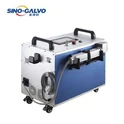
For businesses looking for a compact solution for acrylic marking and engraving, a desktop CO₂ RF laser marking machine can be an option worth considering. Its desktop configuration is suitable for applications that require precise laser marking and engraving on compatible materials. The appropriate machine should be selected according to the material, processing thickness, working area, and production requirements.
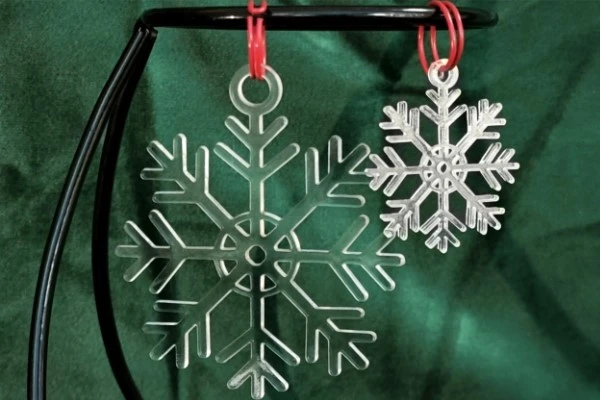
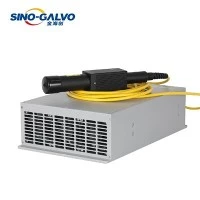
Fiber lasers are generally not recommended for conventional acrylic cutting and engraving. Acrylic does not absorb the commonly used fiber laser wavelength as effectively as it absorbs CO₂ laser energy, resulting in less efficient processing and potentially poor cutting quality.
Therefore, a CO₂ laser is usually the preferred solution for workshops, sign manufacturers, and industrial users working with acrylic materials.
Acrylic Laser Cutting Speed and Power Settings
Cutting speed and laser power are two important parameters that directly influence acrylic cutting quality.
In general, acrylic laser cutting requires a suitable combination of relatively high power and controlled cutting speed to achieve consistent melting along the cutting path. This helps produce smooth edges, particularly when processing extruded acrylic.
However, the optimal settings depend on several factors, including laser power, acrylic type, sheet thickness, focal position, and assist airflow. Excessive power or an unnecessarily slow cutting speed can cause overheating, excessive melting, or material deformation. On the other hand, insufficient power or excessive speed may result in incomplete cutting and rough edges.
For the best results, operators should adjust power and speed according to the specific material and laser system rather than relying on a universal parameter setting. Testing on sample pieces before production is recommended.
Today, acrylic manufacturers offer a wide range of cast and extruded sheets in different colors, thicknesses, textures, and patterns. This material versatility, combined with the precision and flexibility of CO₂ laser processing, makes acrylic laser cutting and engraving suitable for a broad range of commercial and creative applications.
Frequently Asked Questions About Acrylic Laser Cutting
Q: 1. What is the best laser for acrylic laser cutting and engraving?
A: A CO₂ laser is generally the best choice for acrylic laser cutting and engraving. Acrylic absorbs CO₂ laser wavelengths efficiently, allowing the material to be cut cleanly and engraved with good detail. Higher-power CO₂ lasers are suitable for thicker sheets, while lower-power systems can handle thin-sheet engraving and light cutting. Fiber lasers are generally unsuitable for conventional acrylic processing because acrylic absorbs their wavelength less effectively.
Q: 2. What is the difference between cast and extruded acrylic for laser cutting?
A: Cast acrylic is particularly suitable for engraving because it produces a frosted white finish. Extruded acrylic is generally better for cutting because it can produce smooth, glossy, flame-polished edges. The best choice depends on whether engraving contrast or cutting-edge appearance is the main priority.
Q: 3. Do I need to polish acrylic after laser cutting?
A: Extruded acrylic typically develops smooth, flame-polished edges during laser cutting, so additional polishing is often unnecessary. Cast acrylic does not usually produce the same glossy edge finish. If a higher level of transparency or gloss is required, additional mechanical or flame polishing may be considered.
Q: 4. How thick of an acrylic sheet can a laser cutter cut?
A: The maximum acrylic thickness depends on the CO₂ laser's output power, optical configuration, cutting speed, and material properties. Many desktop CO₂ laser machines can process acrylic sheets around 3–10 mm thick, while higher-power industrial systems can cut sheets measuring 20 mm or more. Actual cutting capacity should always be confirmed through the machine manufacturer's specifications and material testing.
Q: 5. Why does acrylic warp or melt during laser cutting?
A: Acrylic deformation during laser cutting is commonly caused by excessive heat accumulation. Excessive laser power, overly slow cutting speed, poor material support, and insufficient ventilation can all contribute to overheating and warping. To improve cutting quality, adjust the laser power and speed, elevate the acrylic sheet to improve airflow beneath it, and ensure that the exhaust system effectively removes heat and processing fumes. For thicker sheets, appropriate parameter testing is particularly important.